Take control of your day — every chair, one calendar
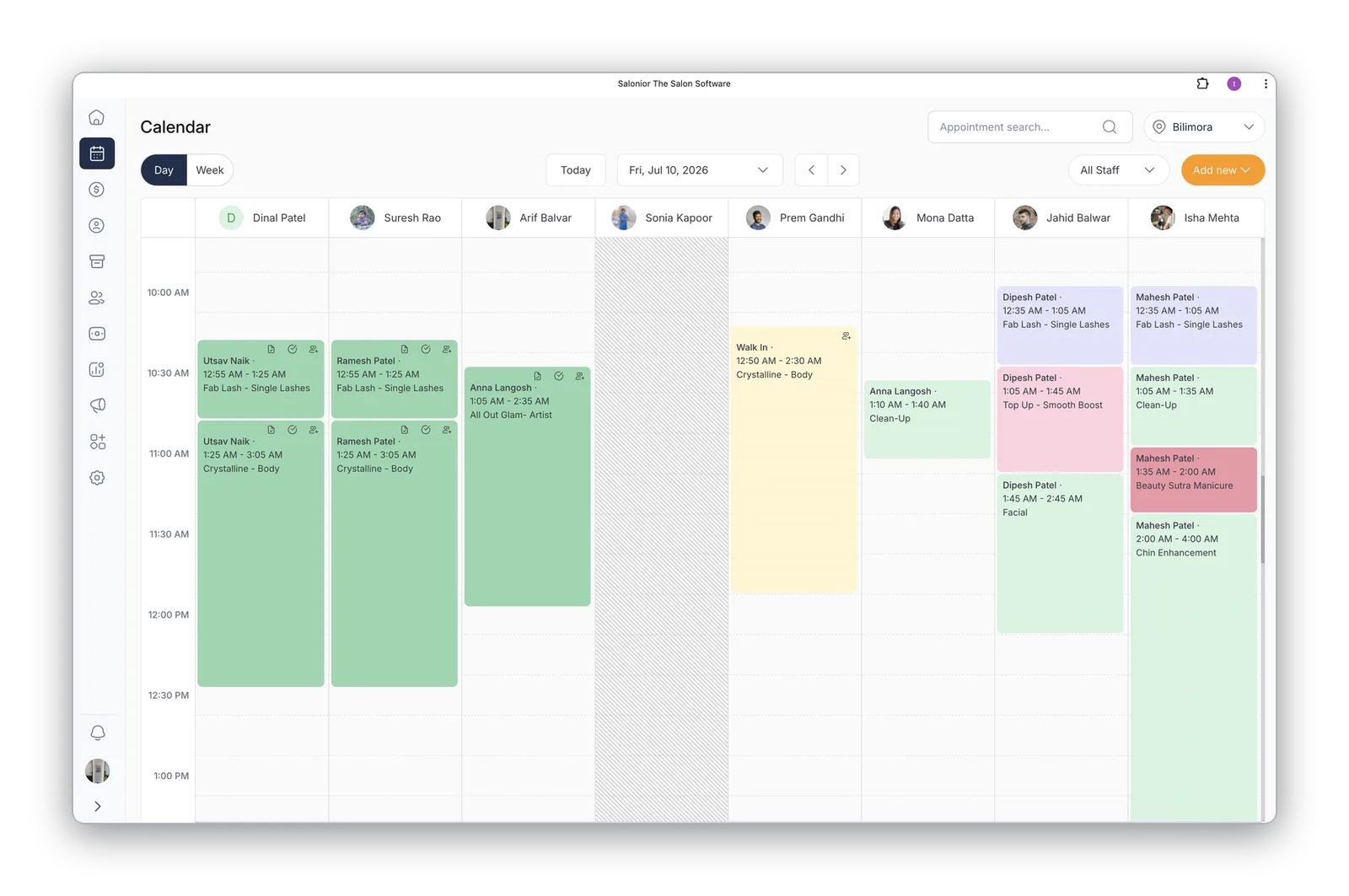
All staff side-by-side in one fast, real-time view. See who's booked, who has gaps, and where a walk-in fits — then drag, drop, check out, and remind clients without leaving the calendar.
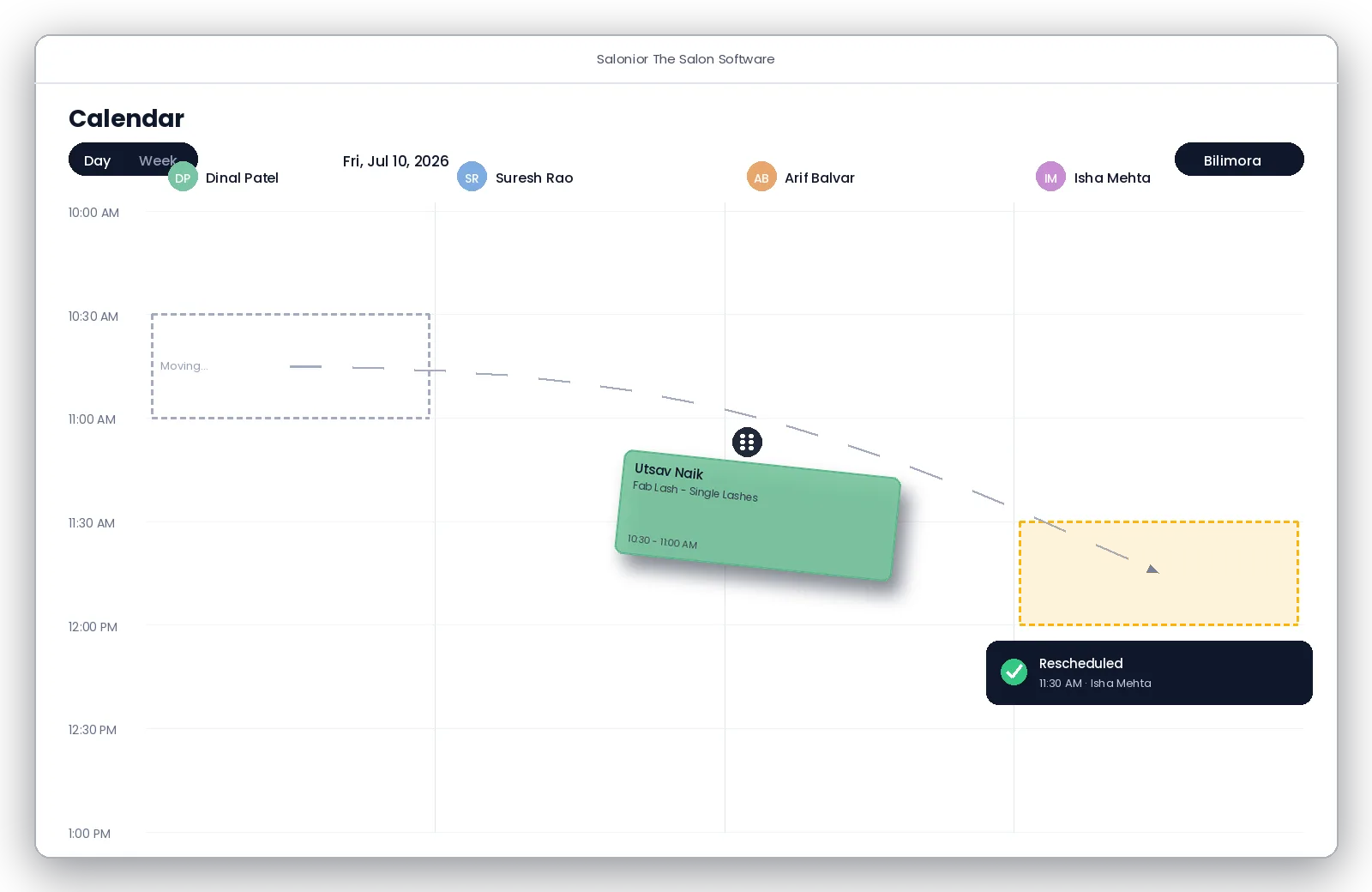
Drag-and-drop rescheduling
Grab any appointment and drop it on a new time, or a different staff member's column — the calendar updates instantly and the client gets an automatic notification.
- No manual calls after changes
- Move between staff and time slots in one drag
- Block time for breaks, training, and holidays
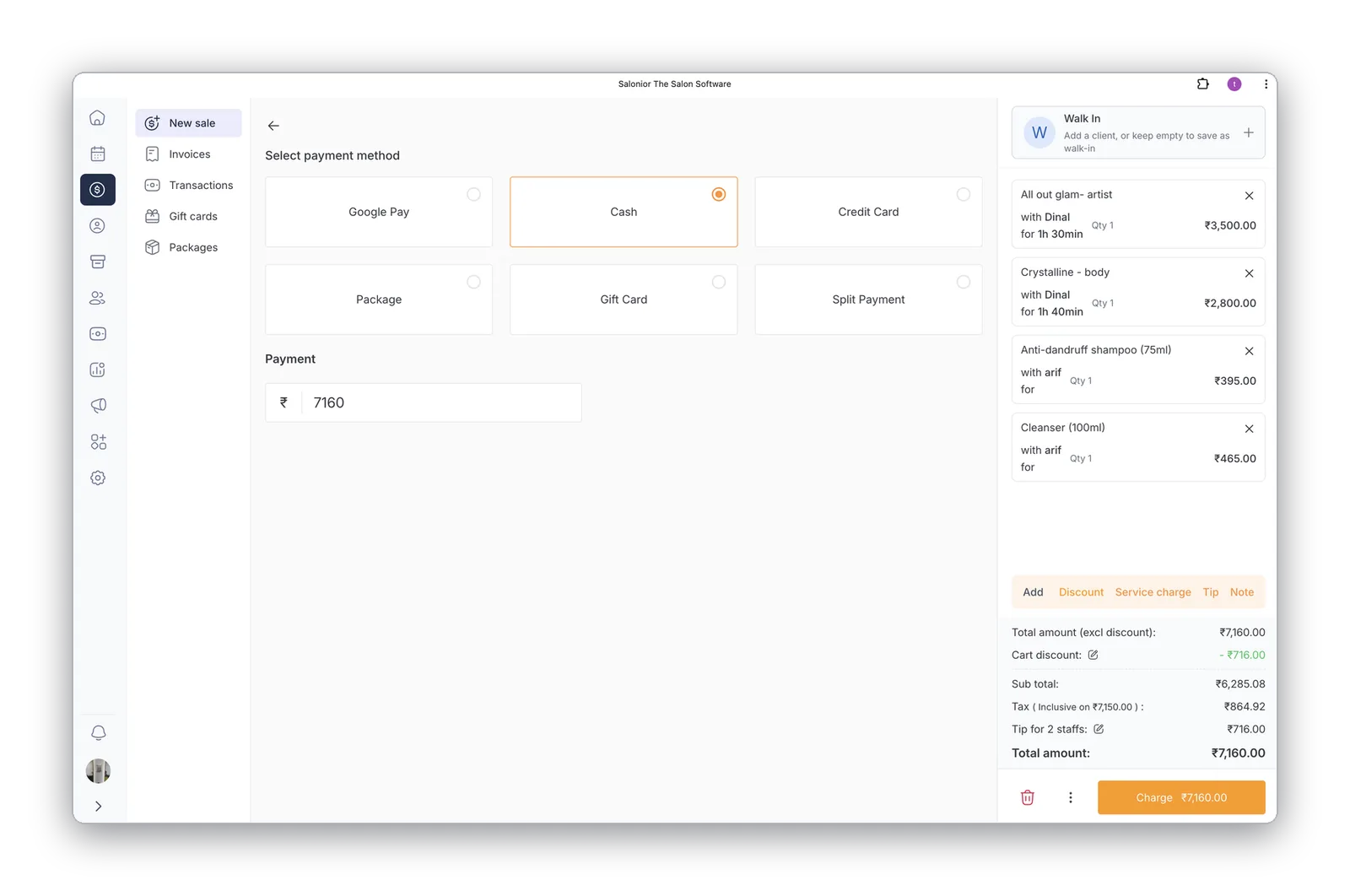
Book, bill, and check out from one screen
When the service ends, checkout is one tap away — services pre-loaded, deals applied, tips attributed. No app-switching, no double entry, no queue at the front desk.
- Appointments flow straight into checkout
- Walk-ins added without leaving the calendar
- Split payments, tips, and deals in the same flow
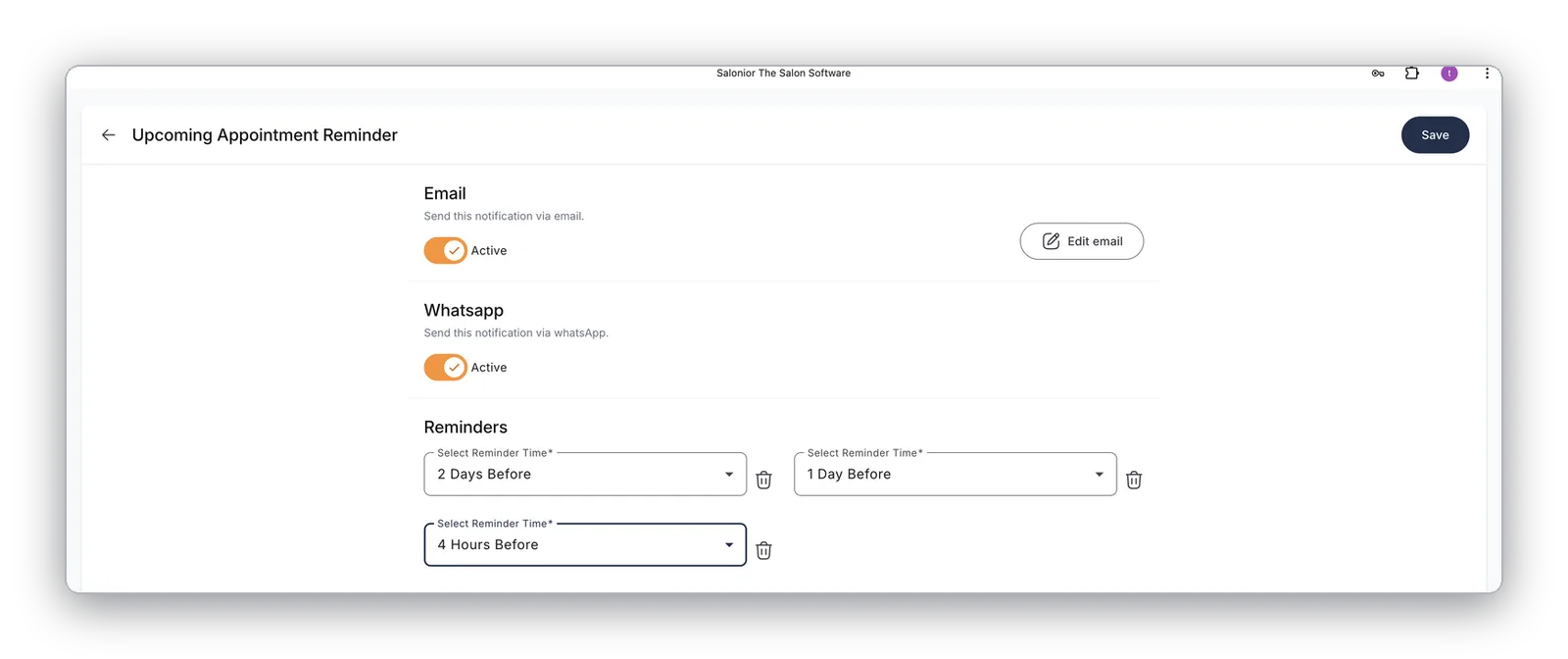
Confirmations & reminders on autopilot
Every booking triggers its own confirmations and reminders — stacked at 2 days, 1 day, and 4 hours before, sent by email and WhatsApp, in your salon's voice.
- Multiple reminder times per appointment
- Email + WhatsApp, each with its own toggle
- No-show and cancellation follow-ups included
Phone enquiry to booked — over WhatsApp
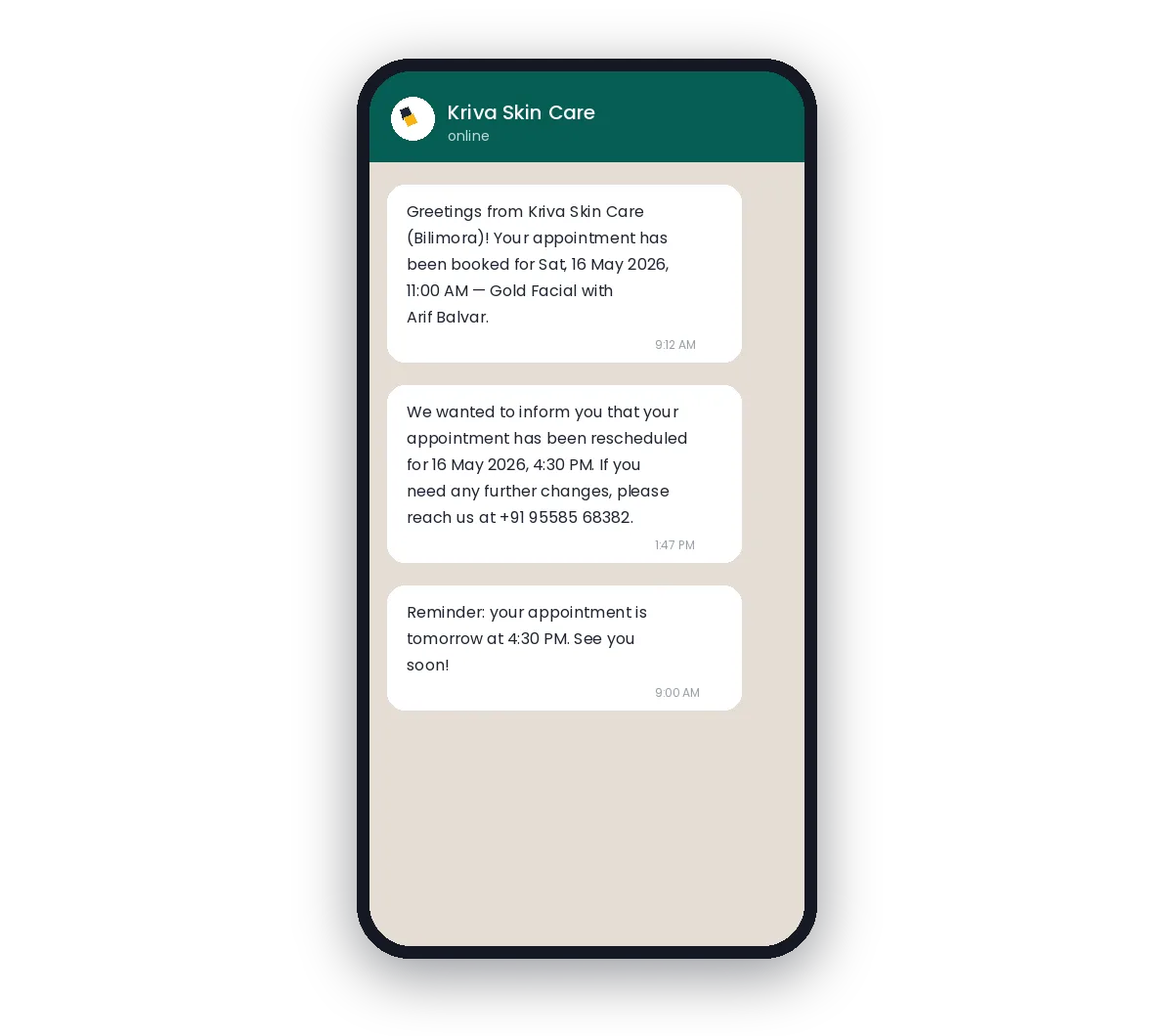
Book the appointment while the client is still on the phone — they instantly get a WhatsApp confirmation with service, staff, and time, plus automatic updates if anything changes.
- Instant confirmation with full details
- Reschedules notified automatically
- Zero manual follow-up messages
Results salons see with Salonior
Illustrative figures based on our market research; your results may vary.
Calendar & Scheduling — the questions we get asked
Yes — drag it to another column or another time and drop it. The calendar updates instantly and the client is notified automatically.
Yes. Availability is calculated from your real roster in real time, including minimum advance notice and buffer time between appointments.
Yes — breaks, training, holidays and any other unavailable time can be blocked so nothing gets booked into it.
Worth reading next
What calendar & scheduling connects to
Point-of-Sale
Appointments flow into checkout pre-loaded — no re-keying what was just done.
Explore point-of-sale →Staff Management
Working hours and days off decide which slots clients can book.
Explore staff management →Automated Reminders
Reschedules and cancellations notify the client without a phone call.
Explore automated reminders →Explore Salonior by business type…
…or keep exploring features
Calendar & Scheduling is included in every Salonior plan.
Fair yearly pricing — no add-ons, no feature gates, 0% commission.