Manage your team without the headaches
Every team member gets their own calendar, commission structure, and performance dashboard — without spreadsheets, WhatsApp groups, or end-of-week manual calculations.
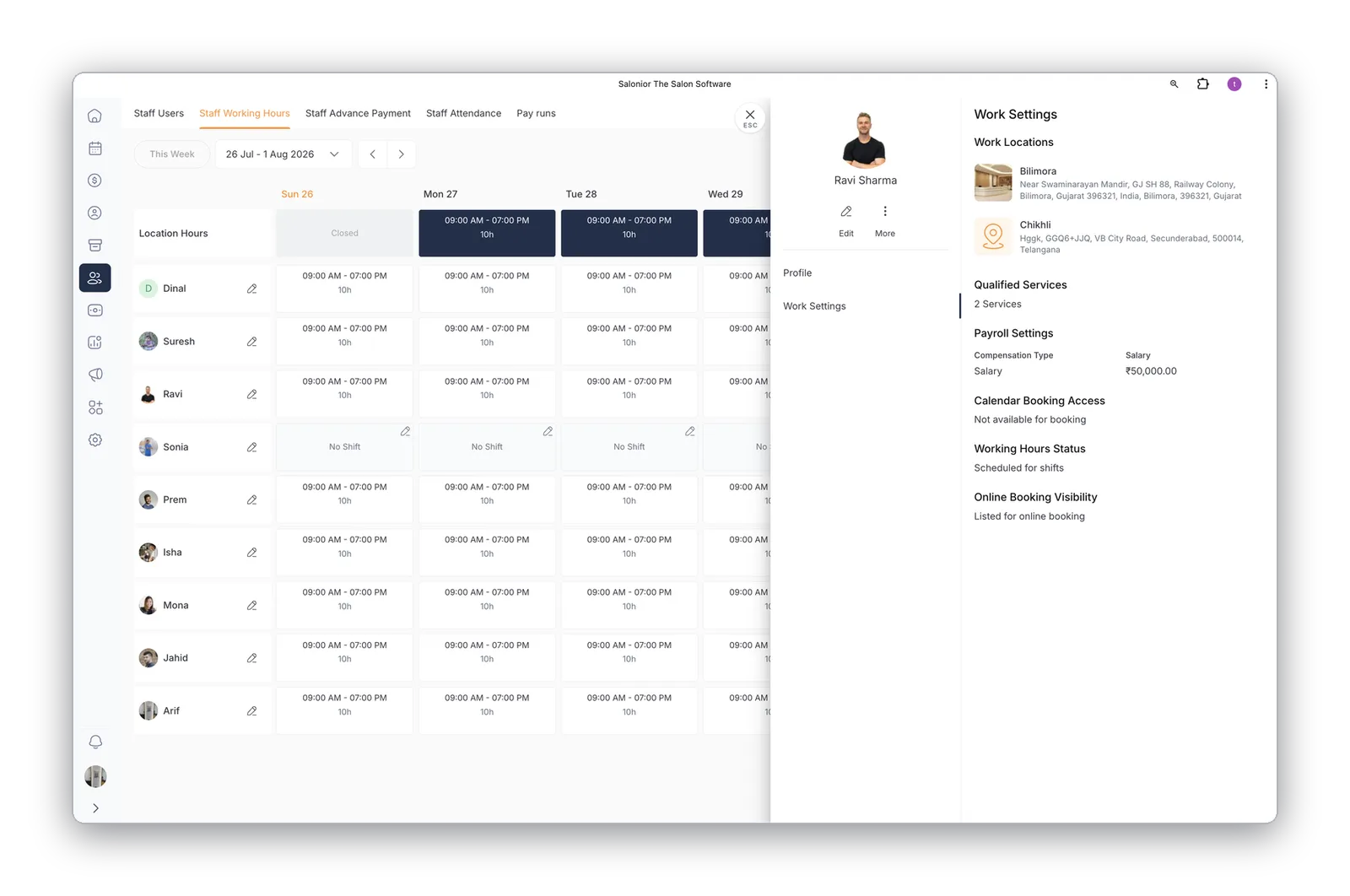
Profiles, schedules & permissions
Individual profiles with services, hours, pricing, and photos for the booking page. Role-based access keeps business data safe.
- Clients browse and pick their provider
- Time-off and breaks on the shared calendar
- Staff see their schedule; owners see everything
Commissions & payroll, automated
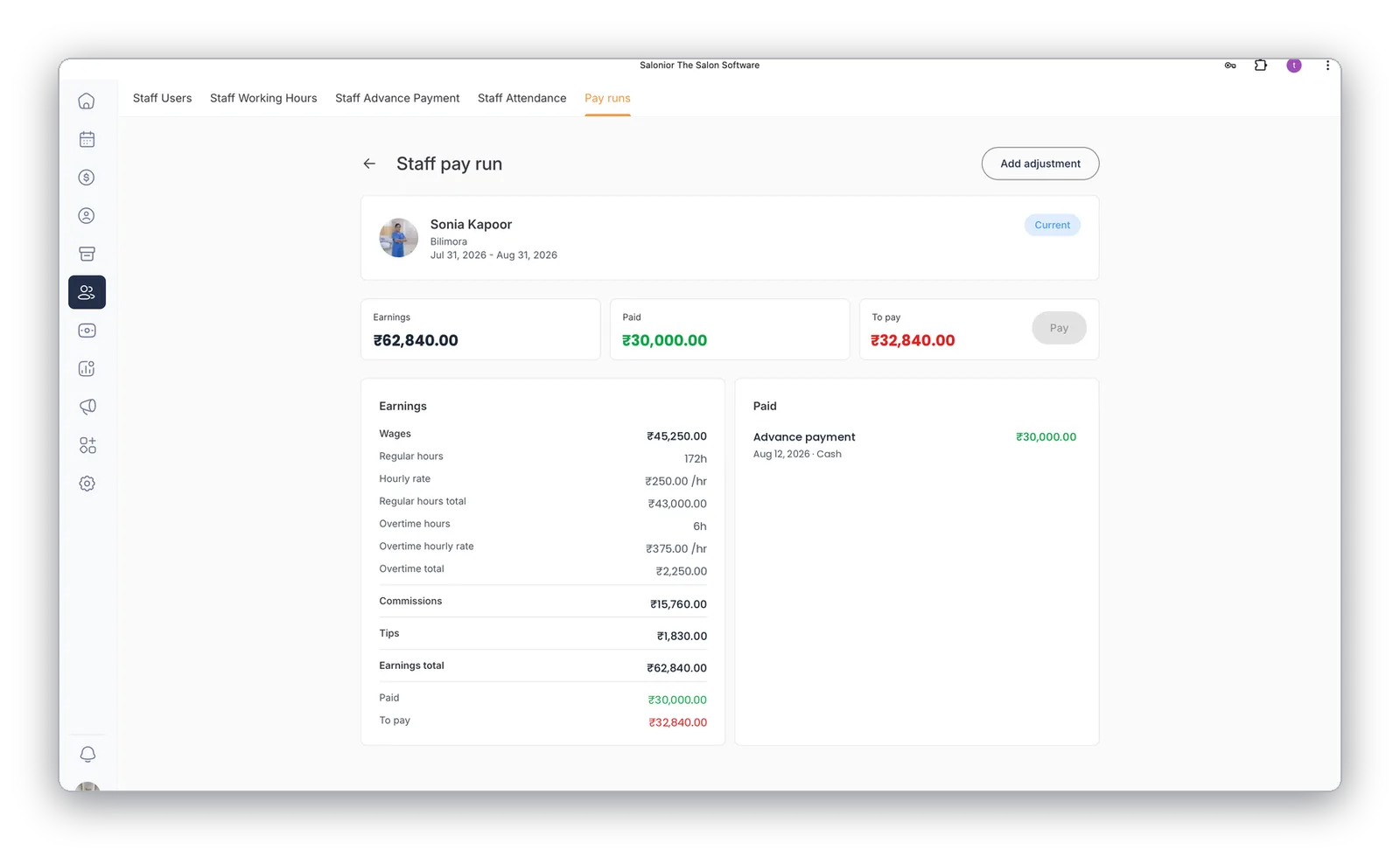
Each staff member's pay run builds itself — wages from tracked hours, overtime at its own rate, tiered commissions, and tips, with advances deducted automatically. Payday is a review and a click, not a spreadsheet.
- Hours, overtime, commission & tips totalled live
- Advance payments deducted automatically
- One-line adjustments with a full audit trail
How the month actually runs
Payroll is where a lot of salon owners lose their evenings. Between rosters, attendance, tips, retail commission and service commission, calculating pay by hand is slow and easy to get wrong — and getting it wrong is one of the fastest ways to lose a good stylist.
It starts before anyone is scheduled: set who can see and do what, so staff see their own schedule and owners see the business. Then build the roster around real availability — each team member's working hours, days off and the services they perform. Your booking page reads those hours in real time, so the schedule does double duty: it rosters the team and controls exactly which slots clients can book.
Commission is set once, not reconstructed at month-end. Most salons use a mix of service commission, retail commission to encourage the upsell, and a tiered rate that rises once a stylist passes a monthly target. With the rates on each profile, commission accrues as the work happens — so pay day is reviewing a number that has been building all month rather than an evening with a spreadsheet.
Setting this up for the first time? Manage staff schedules, commissions and payroll walks through it step by step.
Staff Management — the questions we get asked
Percentage of service revenue, percentage on retail sold, and tiered rates that step up once a stylist passes a target. Rates are set per staff member with an effective date, and you choose whether they calculate before or after discounts and tax.
No. Role-based permissions mean staff see their own schedule and their own earnings; owners and managers see the business. You set who can see and do what before anyone is rostered.
Yes — that is the point of keeping it current. The booking page reads working hours in real time, so a stylist marked off on Tuesday simply cannot be booked on Tuesday.
Worth reading next
What staff management connects to
Payroll & Commissions
The hours and commission rates you set here build each pay run automatically.
Explore payroll & commissions →Reports & Analytics
Revenue, rebooking and retail per stylist — coaching by numbers, not opinions.
Explore reports & analytics →Calendar & Scheduling
The roster you build controls which slots clients can book online.
Explore calendar & scheduling →Explore Salonior by business type…
…or keep exploring features
Staff Management is included in every Salonior plan.
Fair yearly pricing — no add-ons, no feature gates, 0% commission.