Every branch on one dashboard
Run two branches or twenty from a single account — shared clients, per-location calendars, and reports that roll up or drill down.
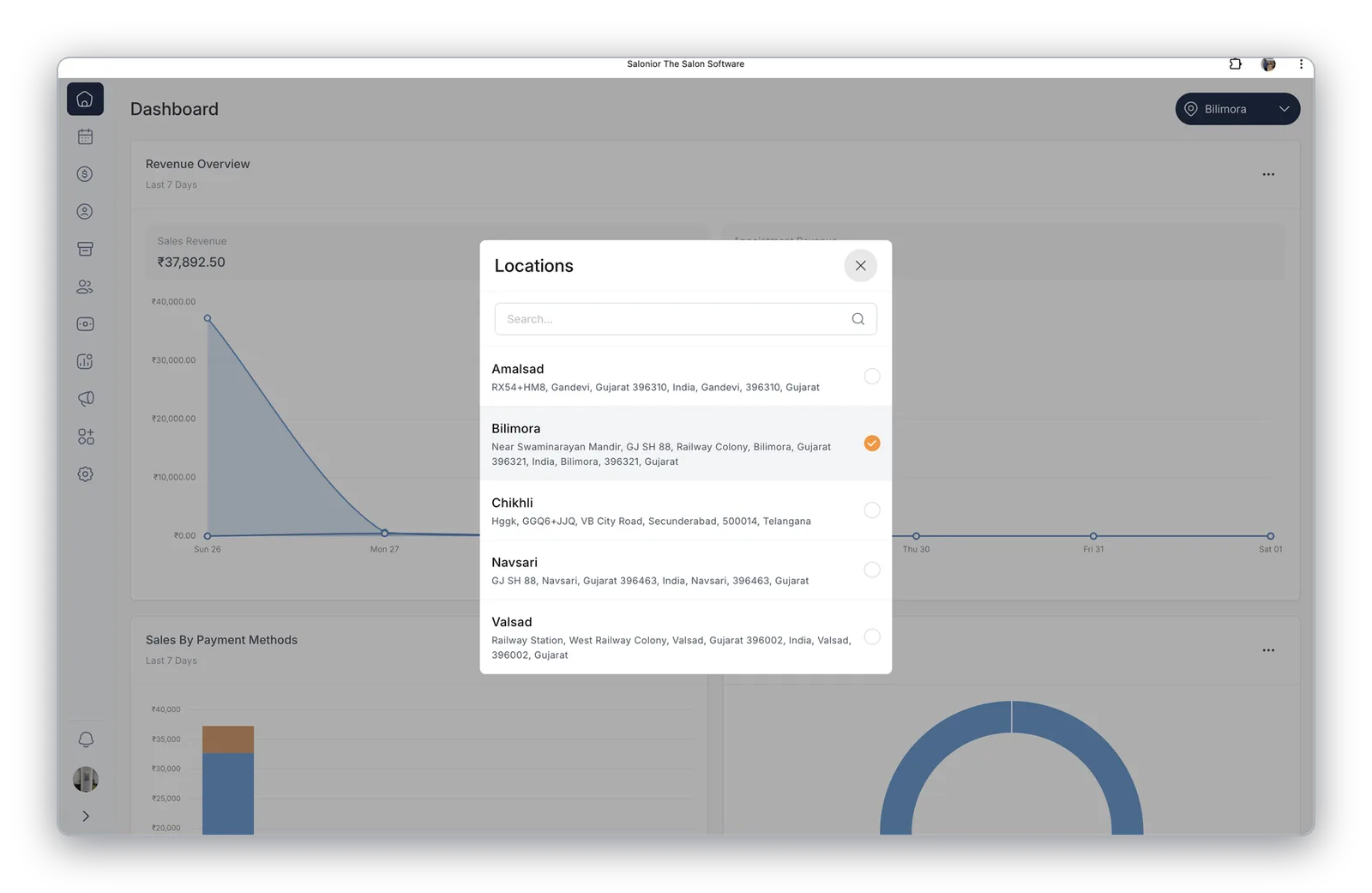
Switch locations in one click
Every branch is a tap away from any screen — dashboard, calendar, or reports. Pick a location and everything reloads instantly for that branch, while clients, gift cards, and memberships still work across all of them.
- Clients recognised at every branch
- Location-specific pricing and hours
- Central control of services and offers
Compare and roll up
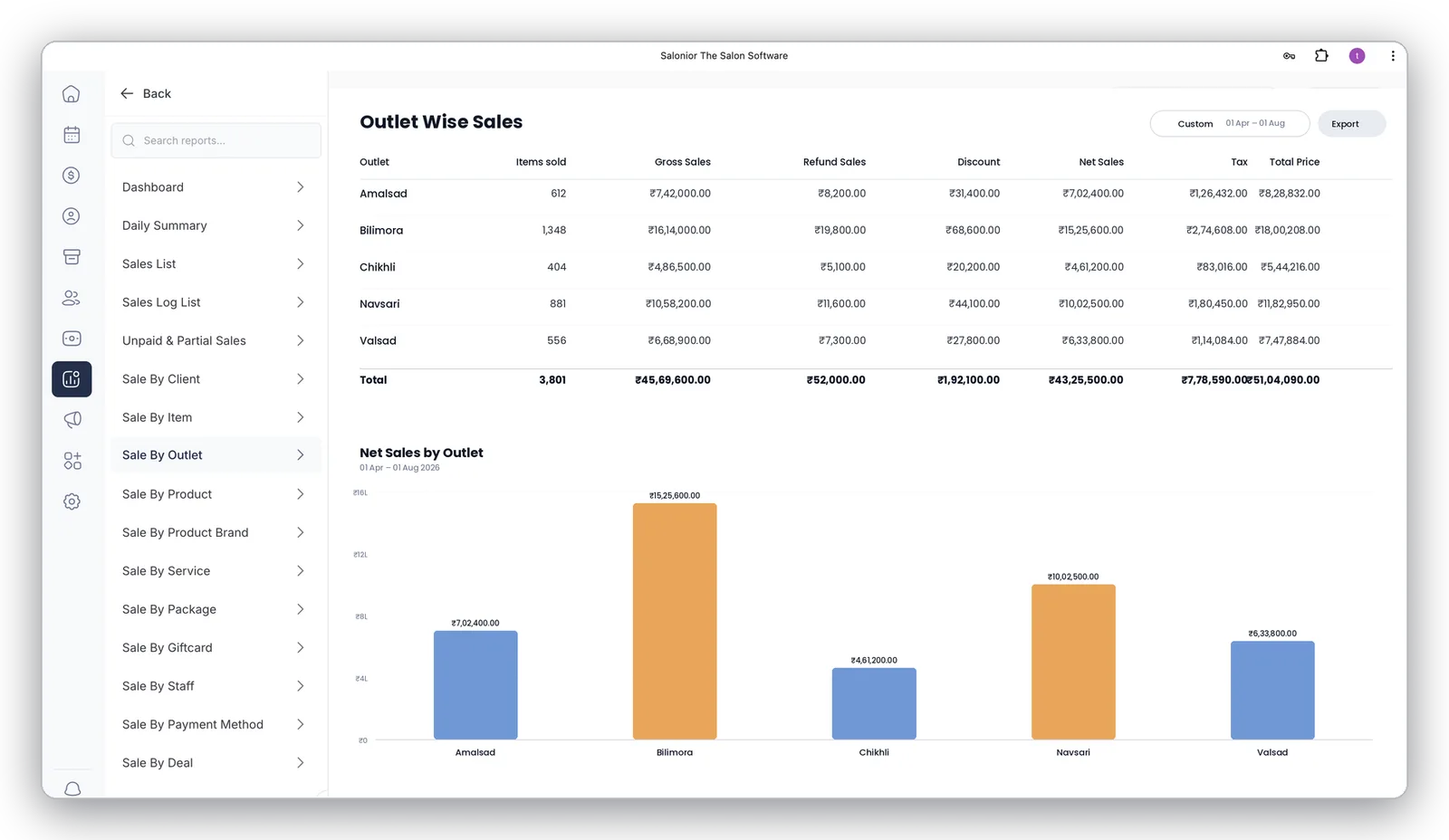
See gross sales, discounts, tax, and net revenue for every branch side by side — with a chart that makes your best (and weakest) performing location obvious at a glance.
- Branch-level and brand-level reports
- Spot your best-performing location and learn why
- Custom plans for chains and franchises
What actually changes at the second branch
One salon runs on the owner being in the room. Two do not. The things that used to be obvious — who is busy, what stock is short, why last week was slow — become things you have to be told, which means they have to be recorded rather than noticed.
Decide first what is shared and what is not. The client list should be shared, so a regular can book at whichever branch is convenient and their history follows them. Pricing and the service menu usually should be too, or the two branches slowly become different businesses. Rotas, stock and targets stay local, because they are the manager's job rather than yours.
Then compare branches on the same terms: revenue per chair-hour rather than total revenue, plus rebooking rate, retail share and average bill. A larger branch will always win on turnover and can still be the weaker business. That comparison is what tells you whether branch two has a demand problem, a staffing problem or a management problem — three things that look identical on a revenue chart.
Setting this up for the first time? Run multiple locations from one dashboard walks through it step by step.
Multi-Location — the questions we get asked
No — clients are recognised at every branch, and gift cards and memberships work across all of them.
Yes. Location-specific pricing and hours sit alongside central control of services and offers.
Yes — gross sales, discounts, tax and net revenue for every branch side by side, with a chart that ranks them.
Worth reading next
What multi-location connects to
Franchise & Owner Portal
Group-level dashboard for chains and franchise networks.
Explore franchise & owner portal →Reports & Analytics
Branch-level and brand-level reporting from the same data.
Explore reports & analytics →Retail & Inventory
Stock per outlet, with transfers between branches and warehouses.
Explore retail & inventory →Explore Salonior by business type…
…or keep exploring features
Multi-Location is included in every Salonior plan.
Fair yearly pricing — no add-ons, no feature gates, 0% commission.